
In the version, Sitedrive is updated to make it easier for you to get started with a new project.
Start with a template
We recommend using a schedule template to bring in the basic work phases and work packages to the schedule. Using a template makes it much faster to start making your own schedule. You are able to edit these work packages freely later on.
We recommend each account to have at least 1 template that can be used when creating a schedule.
Read more about templates here.
Built the space model
You can make the space model using Sitedrive's new space model creator, or you can fill it in later as you have done previously using either Excel template or editing inside Sitedrive.
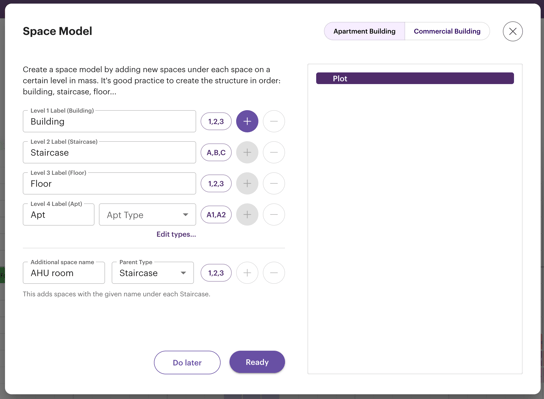
Space model builder
Space model builder allows you to add multiple locations at once. This makes it easier to create a space model if you have a lot of recurring spaces. You can make changes to the space model afterwards.
1. Start making your space model by selecting if your project is an Apartment building or a commercial building.
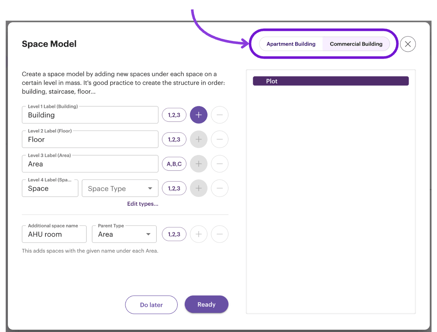
2. Next up you will start adding the spaces. You can add spaces by pressing the + button next to the space level you want to add. Begin from the highest level space.
You can change the names and the numbering of the spaces either before adding them to the space model or after.
%20(9)-gif-1.gif?width=670&height=350&name=Untitled%20(1008%20x%20527%20px)%20(9)-gif-1.gif)
Plan in location view
After you have added the space model, Sitedrive will prompt you to open "Location view" tab. This is a new way to view your schedule that allows you to see it on a phase level.
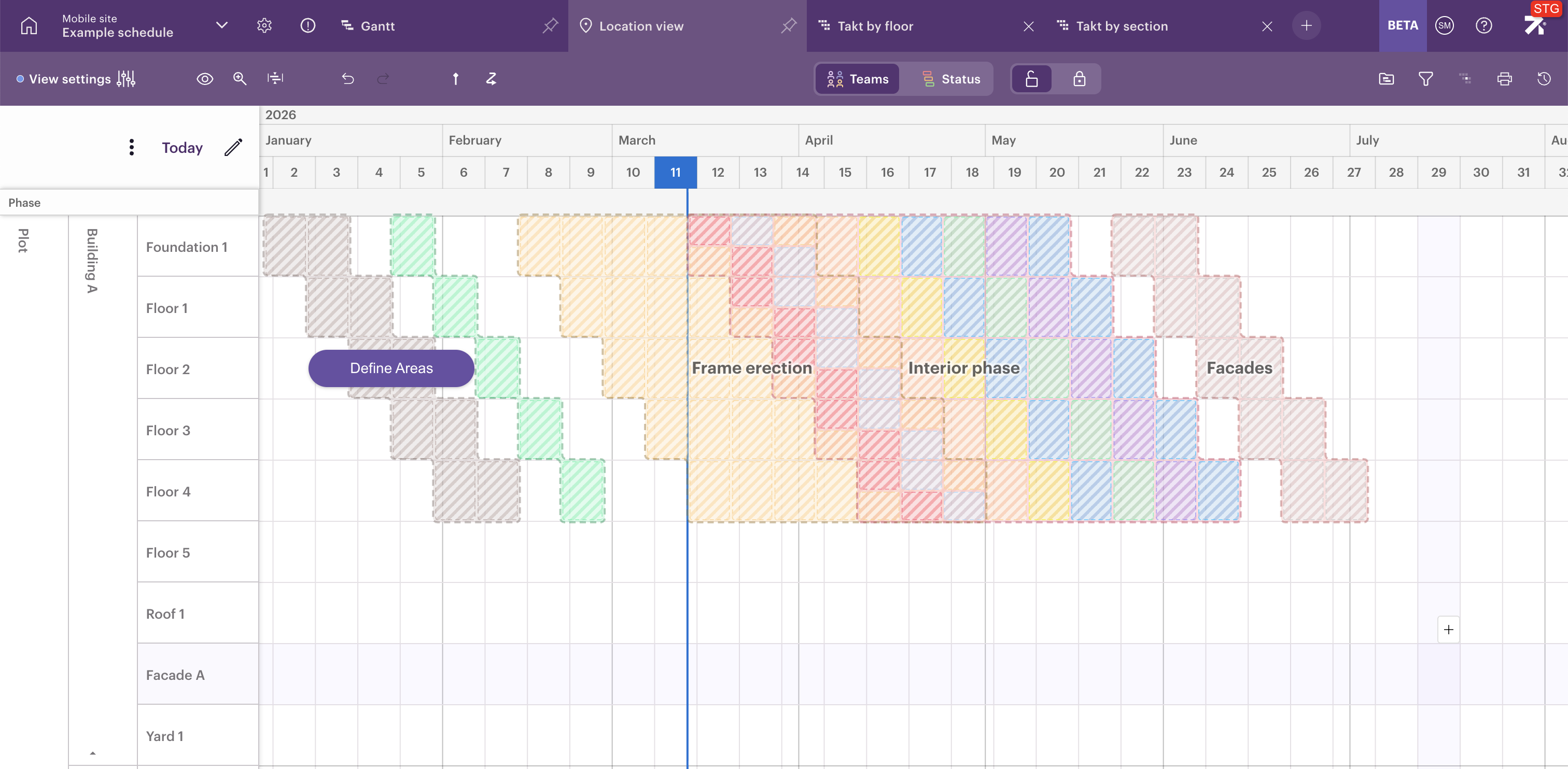
In the location view you are able to see the schedule on a phase level. In the location view, you can select the locations for each phase. You can also decide how the durations of these work packages are calculated.
This is a quick way to create a new schedule. It can be especially useful for tendering scheduling where you need to have a credible schedule fast.
%20(10)-gif.gif?width=670&height=350&name=Untitled%20(1008%20x%20527%20px)%20(10)-gif.gif)
Review as whole
After creating the preliminary schedule you can move to the phase's view and resolve collisions, close gaps, and adjust timing across phases.
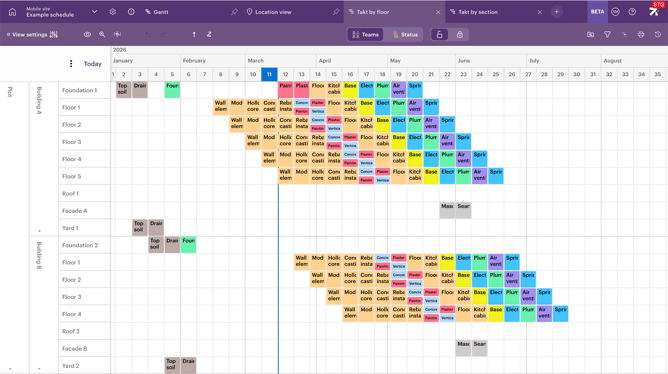
How to start creating a new schedule without schedule template