
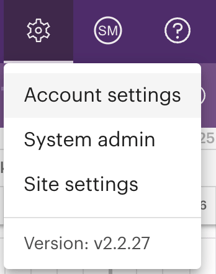
1. Click on the gear icon in the upper right corner of your browser to open the Settings menu. Then, select the option for Account Settings.
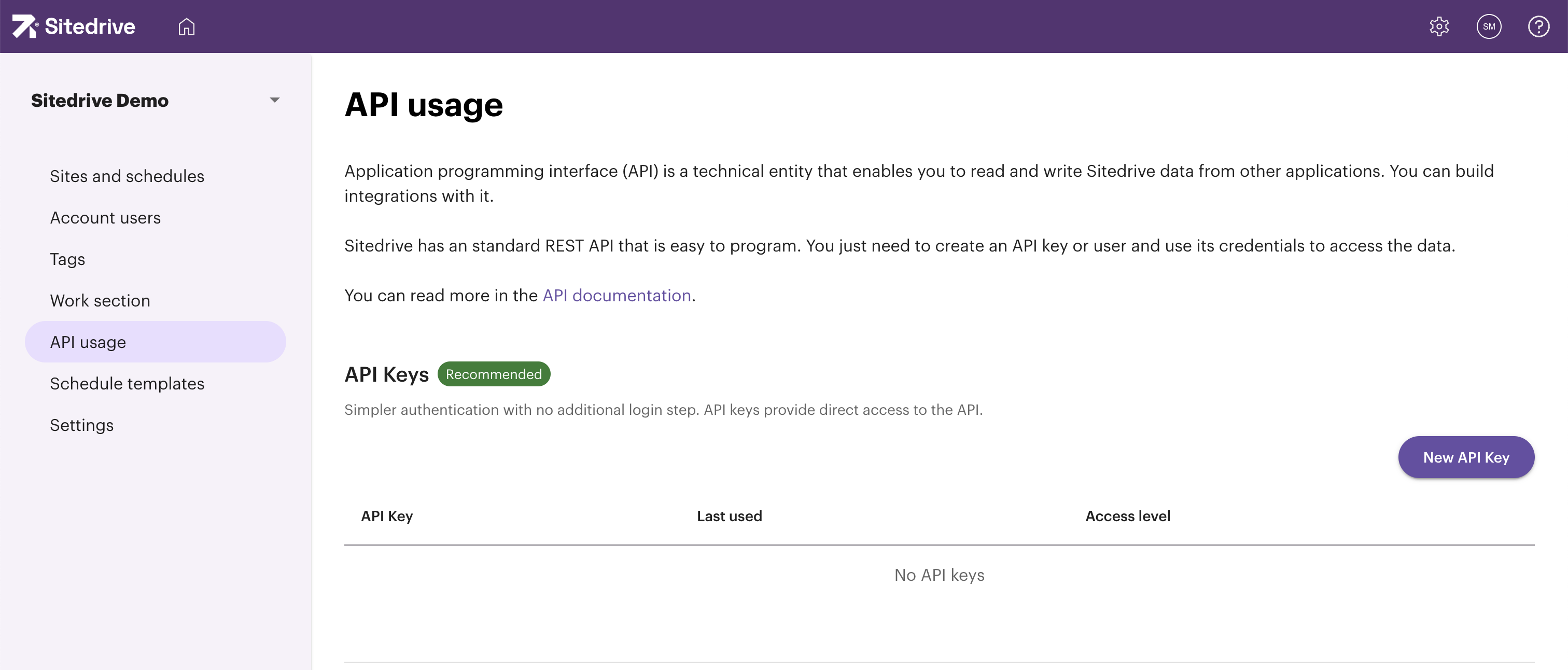
2. From the menu on the left side, select the option labeled "API Usage." If you wish to create a new API key, click the "New API Key" button located on the right side of your browser.
3. The Create API Key window will open.
In the scope section, you need to select wether you want the access to be Account wide or Site-specific. Account wide access will give access to all sites on the account and with the site-specific access you can select one or more specific sites you want to give access to.
Additionally, define the Access Level; you can choose either Read Only or Read and Write access. For analytics purposes, we recommend selecting Read Only access.
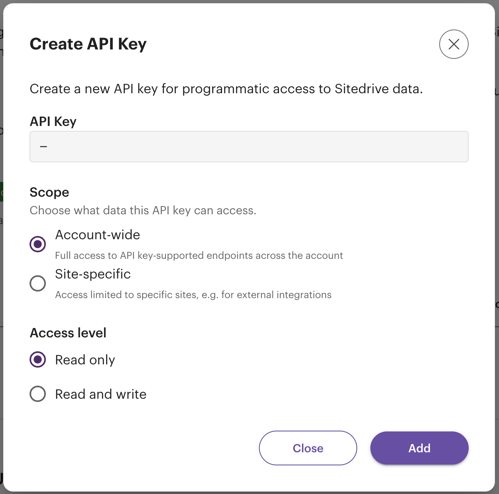
4. Finally, click the "Add" button. The API key code will show up in the window and you need to copy it to yourself.
Keep this information confidential. If you need to share it, ensure you follow your company's security guidelines for handling usernames and passwords.
5. To utilize your API key, please refer to the Sitedrive API documentation available at: https://api.app.sitedrive.com/api/docs