
The new Sitedrive Mobile comes with a set of new features, but the core stays familiar: you can still see your upcoming tasks, mark work packages as ready, and report blockers and issues. The app will be updated on the evening of Tuesday 13.1.2026.
Here’s what’s new:
-
Dedicated views for installers and site management
- Schedule (only for site management)
- My next work
- My late work
- All work
- Issues (only for site management)
- Custom options for schedule
-
Option to track progress as percentages
- Option to choose All work listing or Schedule visualization as the main view
-
-
Automatic issues created from rejected quality tasks or prerequisites
-
Improved area-based filtering
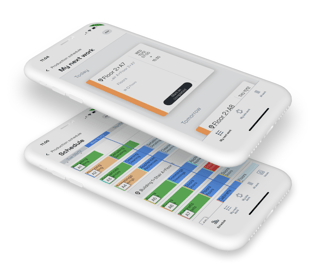
You can find detailed guidance on the new mobile in the article New Sitedrive mobile.
What you need to do:
1. Download the new app from the App Store or Google Play Store.
2. Sign in and take a moment to try out the new features.
Let us know what you think! If you need any help with the new mobile, contact our support for help (support@sitedrive.com).
You can also use mobile without the application at m.sitedrive.com