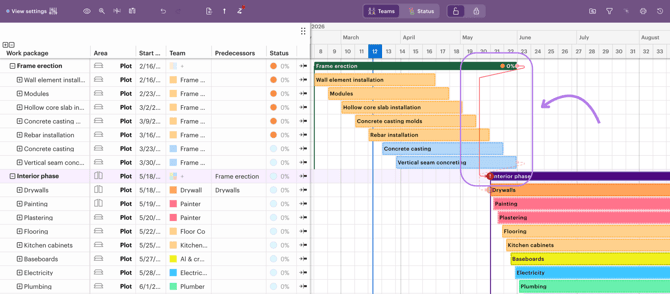
In the 3.0 version, you can add dependencies between different work packages. These dependencies provide a visual way to show how work packages are linked to each other.
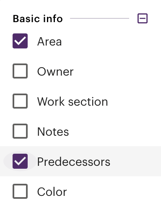
Dependencies are managed between work packages using the new "Predecessors" column.
Sitedrive 3.0 offers three dependency types:
- Work Package (WP) rule
- Space rule
- Instance-to-instance linking
Work Package (WP) rule
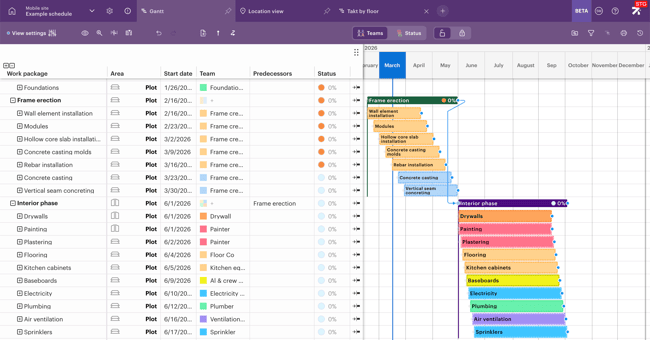
Use this WP rule for hard sequencing where all work in one package must complete before any work in the successor can begin (e.g., frame must be finished everywhere before interior phase begins).
Space rule
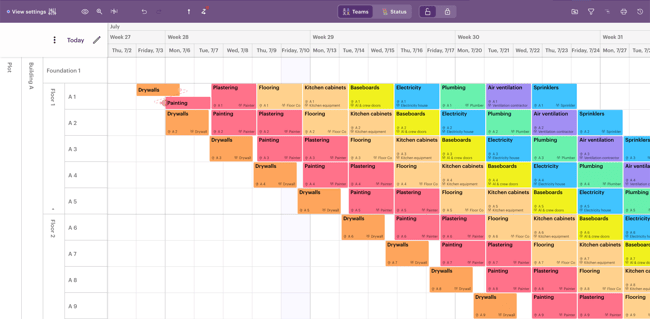
Use the space rule for location-level handoffs where work in a specific area must be completed before the next trade can start in that same area (e.g., Drywall on Floor 1 before painting starts on Floor 1).
Instance-to-instance linking
Use instance-to-instance for direct, fine-grained control by linking specific work package instances. For example, if painting on 3rd floor must be finished before floor installation begins on 2nd floor, you can link those work package instances together.
%20(16)-gif.gif?width=670&height=350&name=Untitled%20(1008%20x%20527%20px)%20(16)-gif.gif)
How to see dependencies
In the Gantt view, each work package has its predecessors shown in a dedicated column. Clicking this Predecessors column lets you choose which work package or work package instance must be completed before the selected work package.
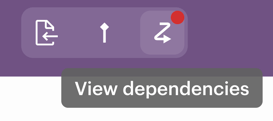
As you edit the schedule, you can view all dependency violations by clicking the dependency button in the top bar. This opens a list of all current issues.
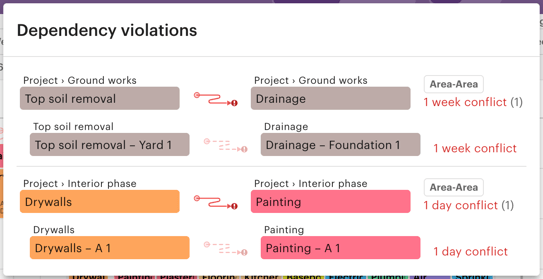
Dependency violations remain visible in the list even if the dependencies are hidden in the schedule.