
A dependency says that one piece of work must finish before another can start, for example Plumbing Rough-in before Wall Boarding. Sitedrive draws dependencies as lines and lists any that are broken. It does not move work automatically when you change the plan, and it does not calculate a critical path. You stay in control of the dates; dependencies help you check them.
Before you start
- You need editing rights to the work packages you link: Schedule, Site or Account admin, or Refine/Refine (ltd) for work packages you own. See Roles and what each one can do.
Types of dependency
All dependencies are finish-to-start.
| Type | Meaning |
|---|---|
| WP | The whole successor waits until the whole predecessor is finished. |
| Space | Each area waits for the same area in the predecessor. Floor 3 of Boarding waits for Floor 3 of Plumbing. |
| Area-Area | A link between two specific instances, for example Painting on Floor 3 → Flooring on Floor 2. |
Add a dependency
- In Gantt, select Show dependencies in the toolbar.
- Point at the end of a bar. A connector dot appears.
- Drag from the dot to the bar of the work that follows.
Linking two instances creates an Area-Area dependency. Linking masters or sum work packages creates a Space dependency, or WP if one of them has no areas.
You can also add the Predecessors column (toolbar Columns) and pick predecessors from the list.
Turn on Show dependencies, then drag from the dot at the end of one bar to the start of another.
Edit or delete a dependency
- Click a dependency line. An editing popover opens.
- Optional: choose another type.
- Optional: type a Lag time (h) in hours to require a gap between the two.
To delete a dependency, select the line and press Delete (Mac: Backspace).
The type of an Area-Area dependency can’t be changed. Delete it and draw a new one.
Find violations
A red dependency line means the work starts too early relative to the dependency, including its lag.
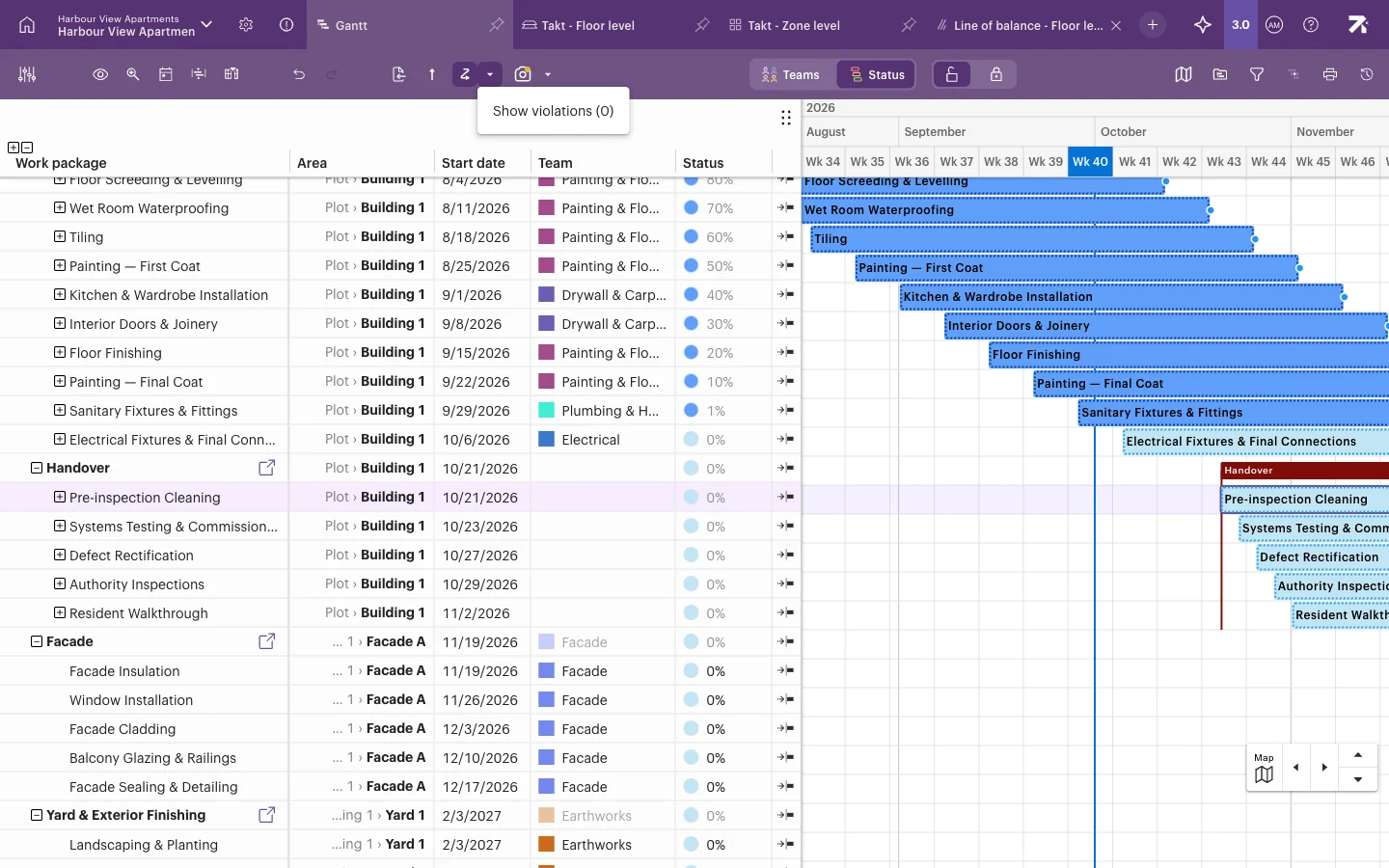
- Open Dependency options (the arrow next to Show dependencies).
- Select Show violations (N), where N is the number of broken dependencies.
- The Dependency violations list shows the dependencies that are violated.
Good to know
- Moving a predecessor never moves its successors. Check the violations list after big changes.
- Lag is in hours only, from 0 up to one year. Negative lag (lead time) is not supported.
- You can draw dependencies only in Gantt. Lines are also shown in Takt, but not in Line of balance.