
Sitedrive is a construction scheduling tool built around one live schedule. Besides what is done and when, every piece of work in Sitedrive also knows where it happens: which building, staircase, floor or zone. Planners, site managers, foremen and subcontractors all work in the same schedule, so everyone sees the same, up-to-date plan.
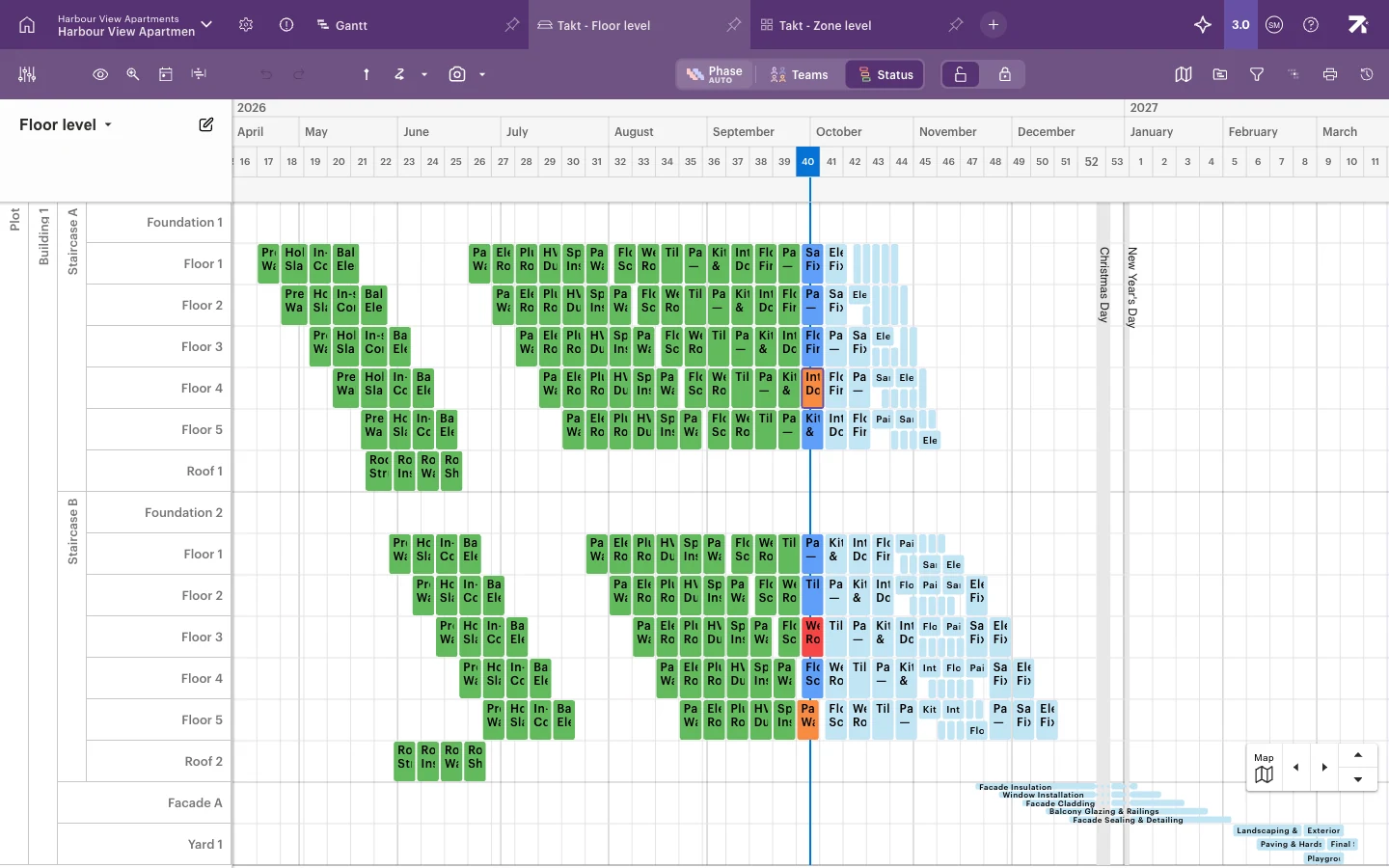 The same schedule in the Takt view: floors down the side, time across the top, and today’s line in week 40.
One schedule, many views
You plan once and look at the plan in whichever way suits the job. All views show the same data, so a change in one view appears in all the others straight away.
| View | What it shows | Good for |
|---|---|---|
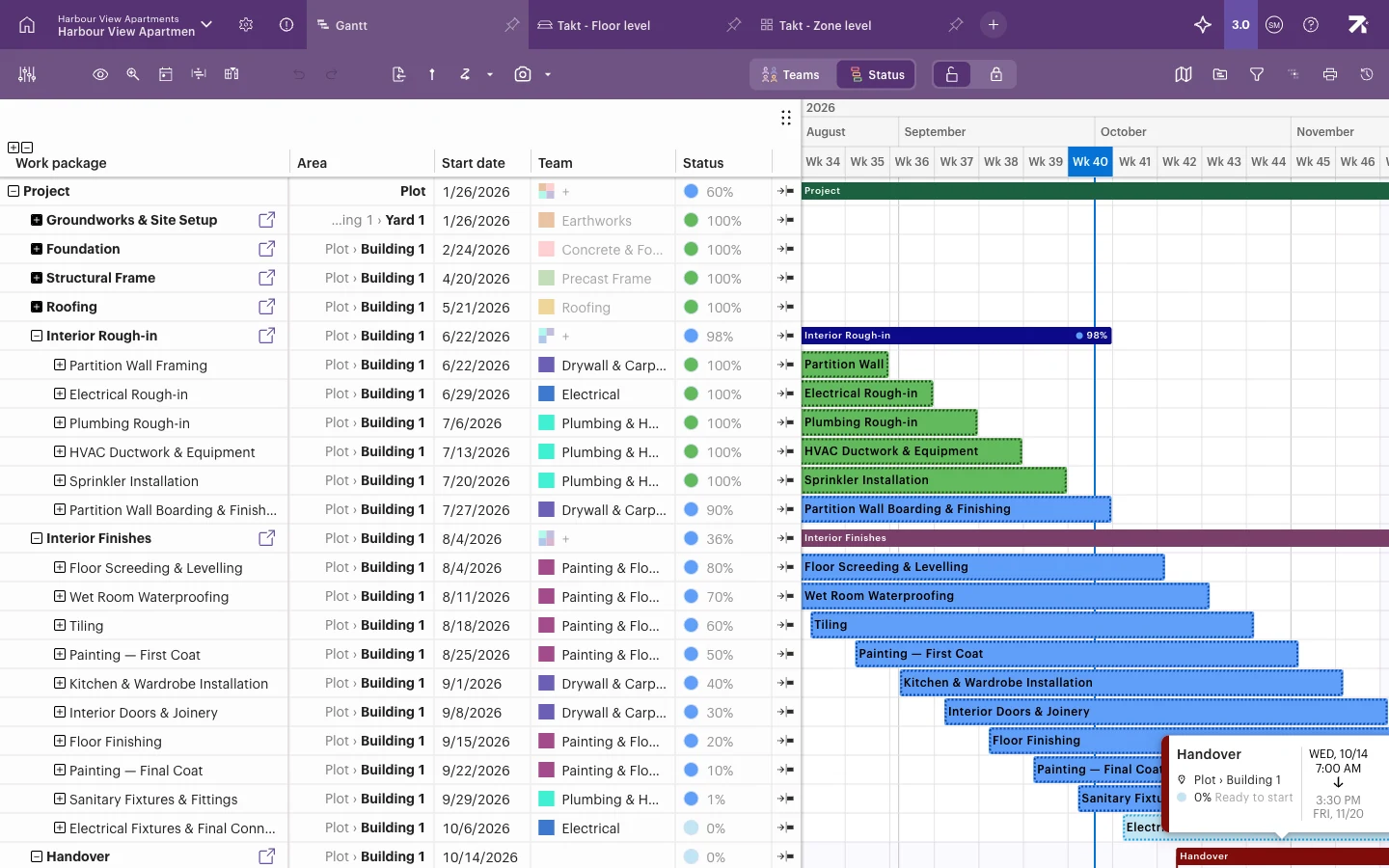
| Gantt | The work package hierarchy as bars on a timeline | Building the plan, dates, dependencies |
| Takt | Areas (for example floors) against time | Planning flow through the building, spotting clashes |
| Line of balance | Work moving through areas as lines | Checking pace and whether teams catch each other up |
| Gantt by area and Grouped Gantt | The Gantt grouped by location, team, owner or assignee | Lookaheads for one floor or one team |
| Issues | Open blockers and issues | Site meetings and follow-up |
Views open as tabs at the top of the schedule. Read more in Views as tabs.
Planning in the office, reporting from the site
- The web app is where you set up projects and plan. Use it in a desktop browser (see Signing in, browsers and language).
- Sitedrive Mobile is the phone app for the field. Crews see their next and late work, mark progress, and add photos, comments, blockers and issues. See Installing Sitedrive Mobile and signing in.
Progress reported on site shows up in the web app’s views, coloured by status. That lets the site team compare progress with the plan every day, not just at the monthly meeting.
What you can do with Sitedrive
- Build a model of the building’s spaces once and reuse it in every view (Building the space model).
- Plan work packages, place them in locations and set a takt rhythm (Work packages, Define areas, Takt planning).
- Link work with dependencies and track deadlines (Dependencies, Deadlines and milestones).
- Track status, blockers, issues and quality tasks (Tracking progress).
- Compare the live plan with a baseline or an earlier version (Comparing progress to plan).
- Share focused views with teams, show them on site screens and print them (Sharing views and locking settings, Printing and exporting).
Some features, such as quantity-based scheduling, are switched on separately for each account. Articles about those features say so at the top.
Languages
Sitedrive is available in English, Finnish, Spanish, Czech, Norwegian, French, Danish and Swedish. Each user picks their own language.